How to Change the Phone Number
If your business has moved to a new location, changed its target market, or simply needs a fresh number, you can replace your current phone number in Textr Team. This guide walks you through the process and explains what happens to your data.
How It Works
Changing a phone number in Textr Team involves two steps: unsubscribing from your current number, then subscribing to a new one. There is no direct "swap" function.
Step 1: Unsubscribe from Your Current Number
- Go to # Numbers in the left menu.
- Click the number you want to replace.
- Under Subscription Plan, click Cancel Subscription.
- Confirm the cancellation.
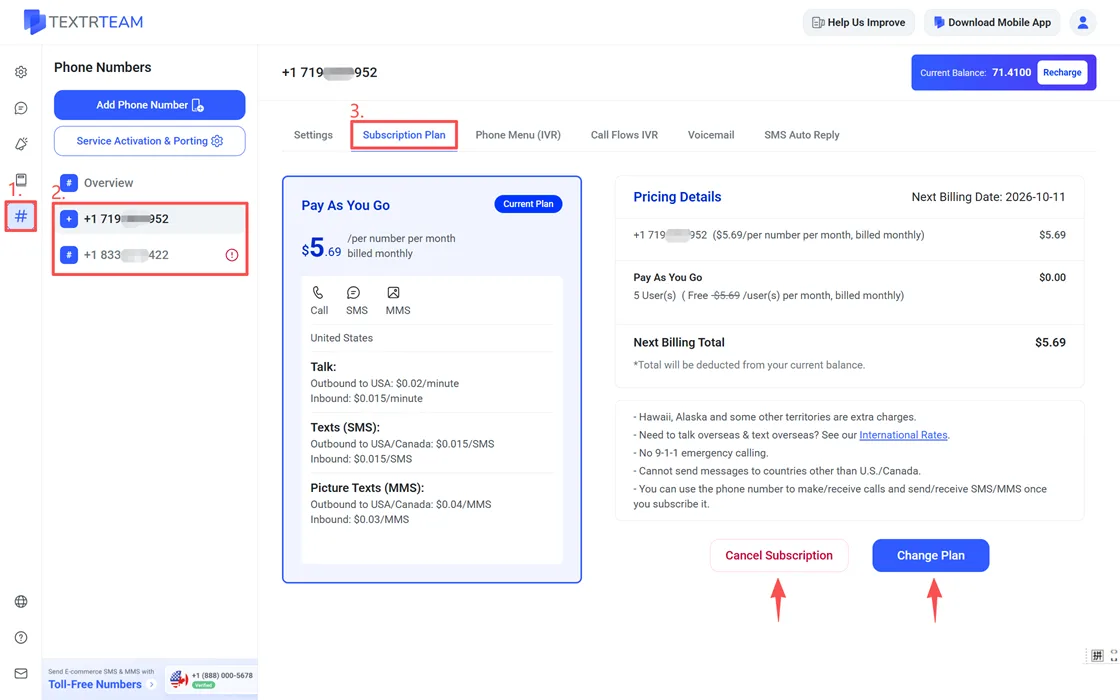
The number remains active until the end of your current billing cycle. After that, it is removed from your account.
Important Notes Before Unsubscribing
- Message and call access: Once the billing cycle ends, the assigned team member loses access to all messages and calls associated with that number.
- Data retention: Call logs and recordings remain in your account even after the number is removed. Message history tied to the number is no longer accessible.
- Billing: You are not charged for the number after the current billing cycle ends. No prorated refunds are issued for early cancellation.
Note: If you cancel a subscription by mistake, you have 7 days to restore the number. During this window, the number is held and cannot be taken by another user. To recover it, resubscribe to the same number within 7 days of cancellation. After 7 days, the number is released back to the available pool. If another user has already subscribed to it, recovery is no longer possible.
Step 2: Subscribe to a New Number
After unsubscribing (or while waiting for the current cycle to end), you can subscribe to a new number. For detailed instructions on choosing and ordering a number, see Get A Phone Number for Your Team.
Tip: Once your new number is active, you can assign it to a team member. Learn more about number assignment and management in Manage Your Phone Numbers.
Porting as an Alternative
If you want to keep your existing phone number but move it to Textr Team, you can port it instead of subscribing to a new one. Porting fees are $20 for US/Canada local numbers and $30 for toll-free numbers (one-time charge). The process typically takes 5-10 business days.
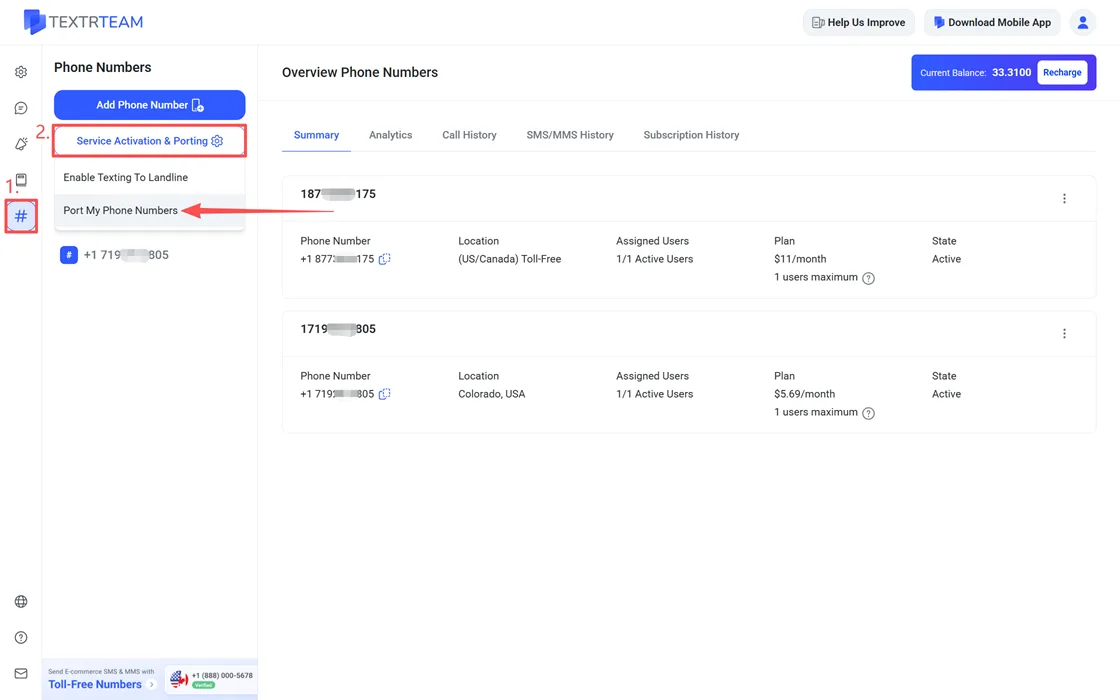
To start porting, go to # Numbers > Service Activation & Porting > Port My Phone Numbers.