
Why Your Business Needs a Dedicated Phone Number
When doing business across borders, a local phone number helps you connect with customers in their region and verify your identity on platforms like Amazon. A toll-free number makes your website look professional and gives customers a free way to reach you.
Textr Team lets you get both types of numbers in minutes, assign them to team members, and start calling and texting right away.
Local vs. Toll-Free: Which to Choose?
If you serve customers in a specific city or state, a local number with that area code builds familiarity. If you sell nationwide or want a single number for your entire business, a toll-free number (800, 833, 844, 855, 866, 877, 888) is the better choice. You can also use both: a local number for day-to-day customer support and a toll-free number on your website.
| Feature | Local Number | Toll-Free Number |
|---|---|---|
| Coverage | Specific state or province | Nationwide (US and Canada) |
| Customer Perception | Feels local and personal | Feels established and professional |
| SMS/MMS Support | Yes | Yes |
| Best For | Targeting a specific market area | Building national brand trust |
| Cost | Pay As You Go | Pay As You Go |
Get the full comparison guide: local vs. toll-free numbers
How to Get Your Number (Step-by-Step)
Step 1: Go to Phone Numbers
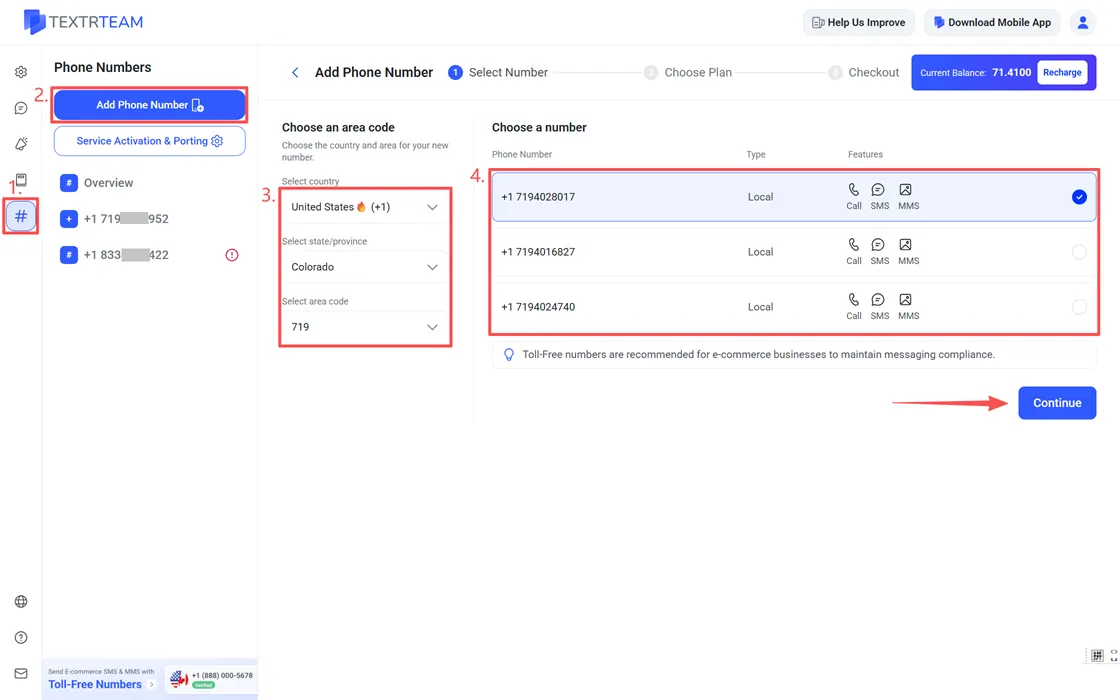
From your Textr Team dashboard, click # Numbers in the left menu, then click Add Phone Number.
Step 2: Choose an Area Code
Select the country where you need a number. For US and Canada, you can further filter by state/province and area code. Learn supported countries/regions.
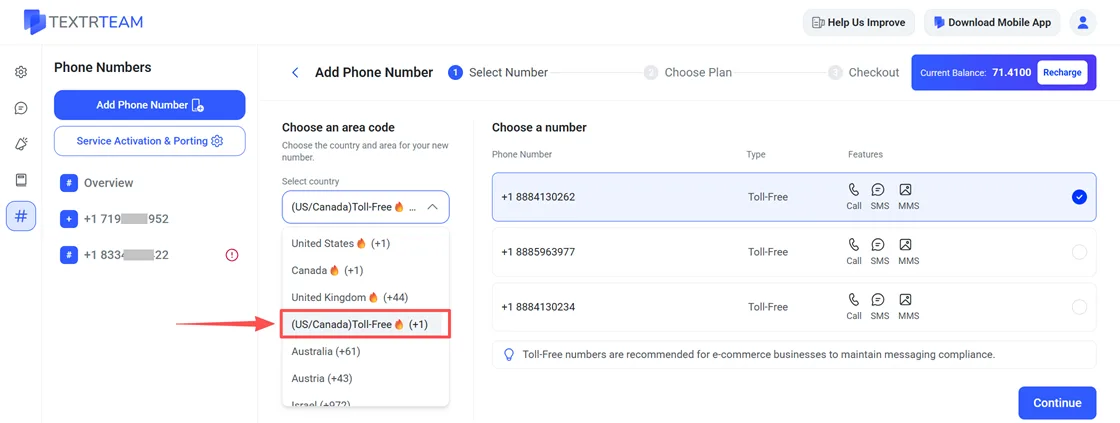
If you need a toll-free number, you should select (US/Canada) Toll-Free (+1) when you choose an area code.
Step 3: Preview and Select a Number
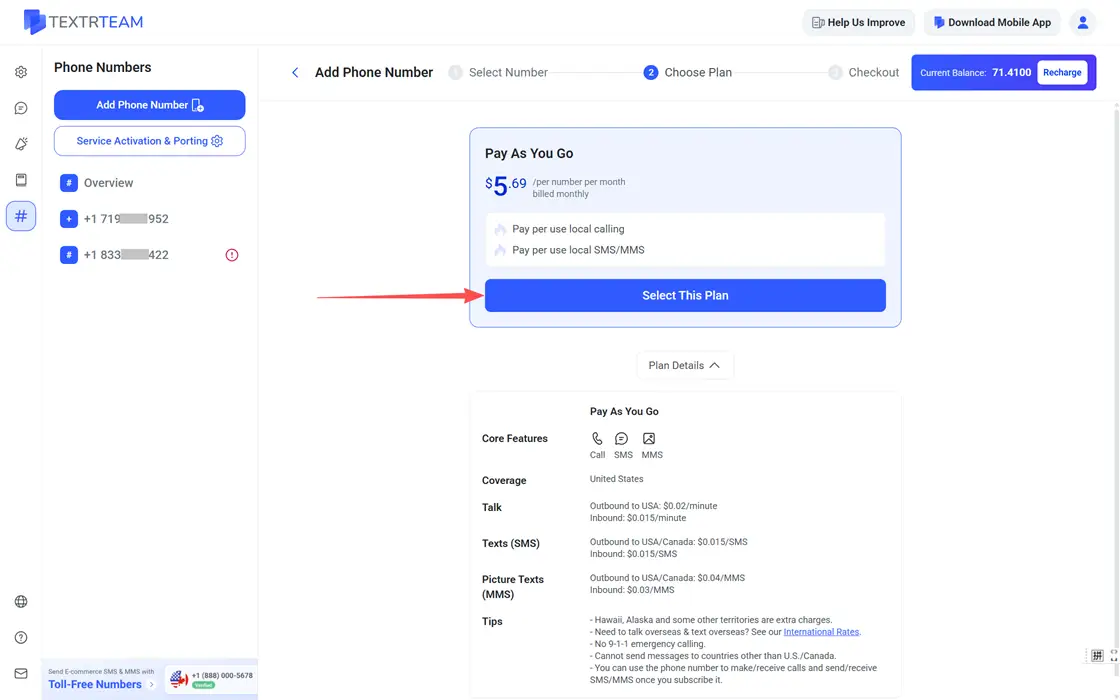
Browse available numbers. Each listing shows the number, and supported features (call, SMS, MMS). Check the box to select your number you like and click Continue. Then you will see the plan details. Make sure everything is clear, click Select This Plan.
Step 4: Subscribe
Review your order summary and click Subscribe.
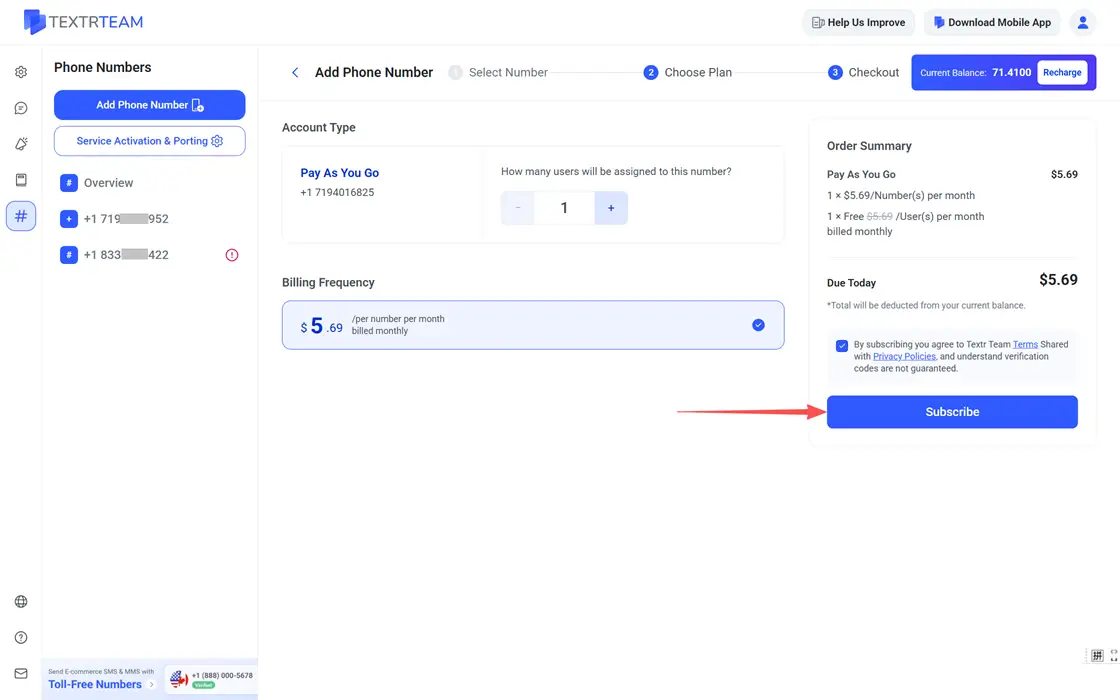
Note: Before subscribing, make sure your account balance is sufficient, or you will have a pop-up leading you to recharge.
Managing Your Numbers
Once you have a number, it will be listed under # Numbers. You can easily manage your numbers there, like assigning them to your team members, changing your plan, enabling auto-recording, and viewing analytics and logs.
Besides, Textr Team allows you to transfer (port) an existing number to Textr Team and add texting capability to your existing landline without porting. Learn more in our text to landline guide.